Skip to content
Web App
Menu

From site photograph to finished report, with the engineer in the loop.

AECAI reads an inspector’s photographs, flags the defects and drafts the structural report, ready for your engineers to check, edit and issue.

Built in Belfast by two engineers, and now in early access.
  1. Your house style
  2. Outlined by AI
  3. Decided by your engineer
  4. Issued under your name
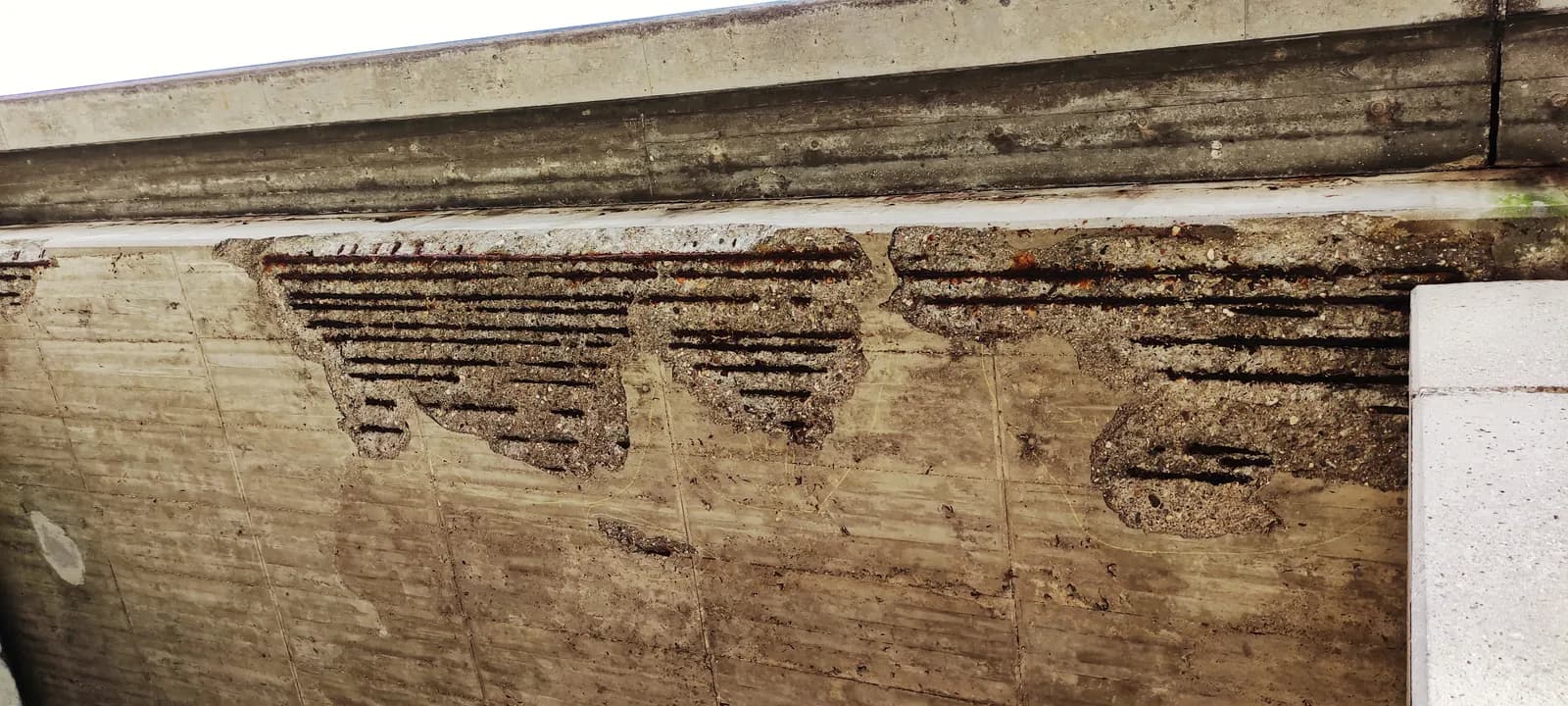
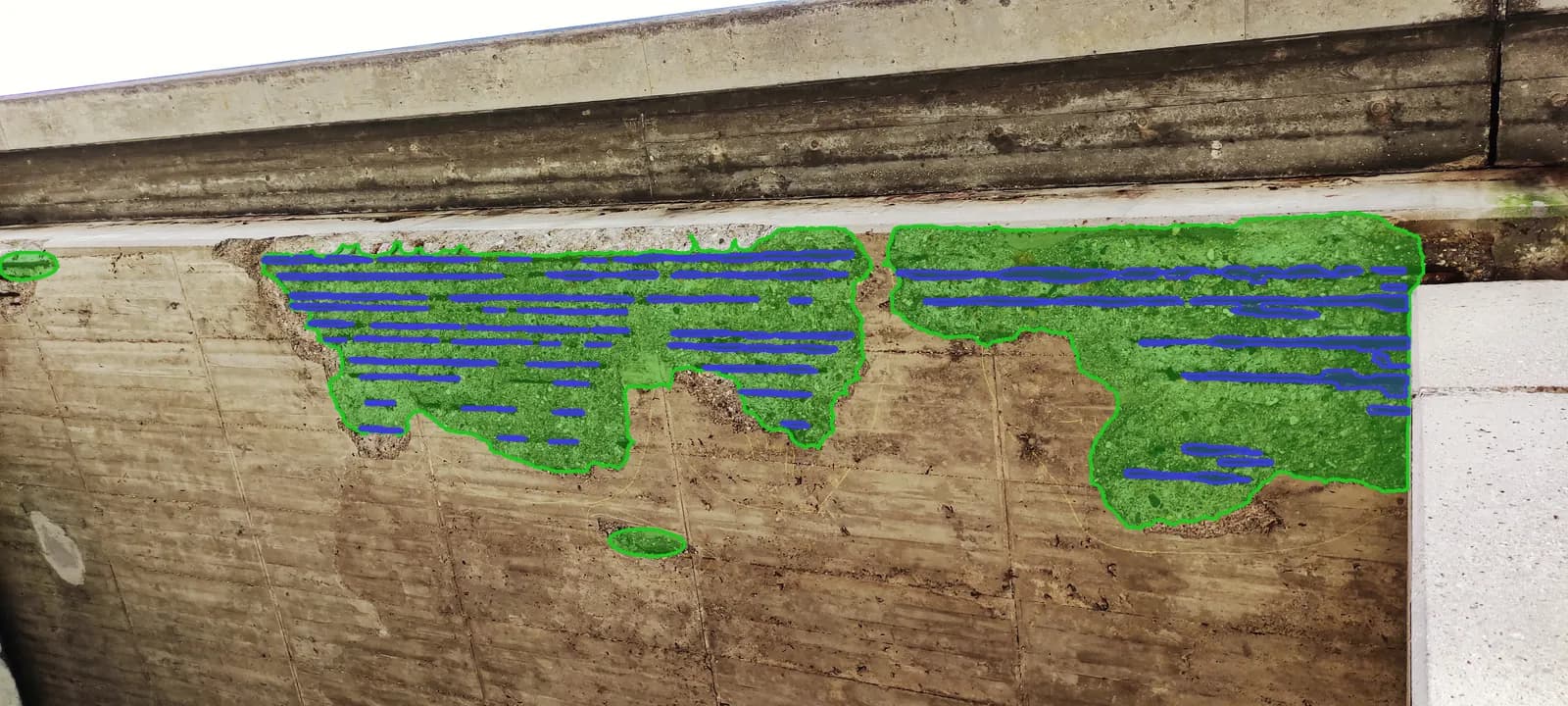
Illustration of a report page with fictional report data; drag the figure to compare. Photo: Túrelio, CC BY-SA 3.0 de; the scan overlay is shared under the same licence.

On our own inspections, about 7 hours in 10 go on the write-up.

The write-up means sorting and renaming photos, describing and grading each defect, and typing it all into a Word template. That administrative half of an inspection is what AECAI drafts. Our pilots will measure what it saves on other firms’ work.

Descriptions vary between inspectors too. In a US study, 49 bridge inspectors gave condition ratings within one grade of each other only 68% of the time (FHWA, 2001).

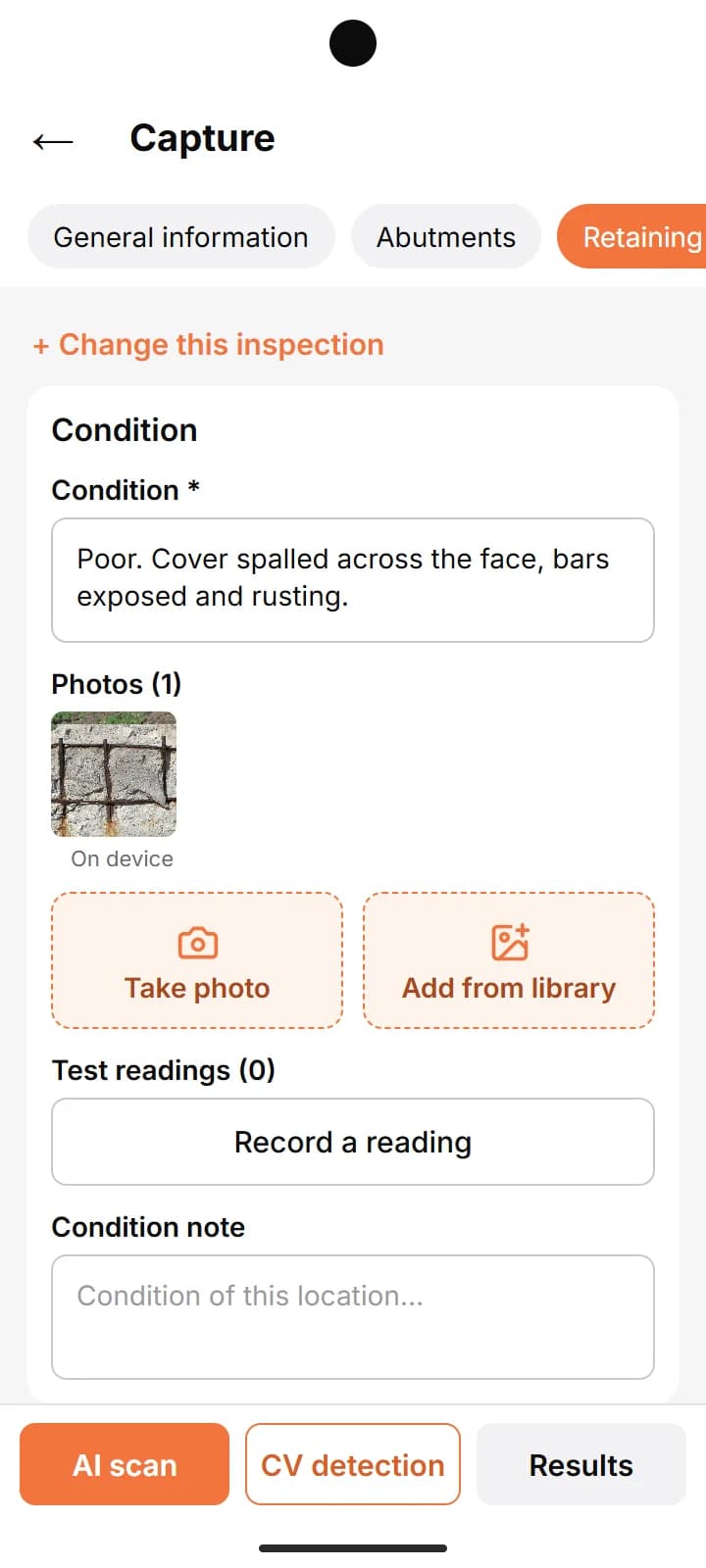
  • The capture screen: the Retaining walls section of a bridge form, the condition typed in and the photo filed under it.

1 of 3  Capture

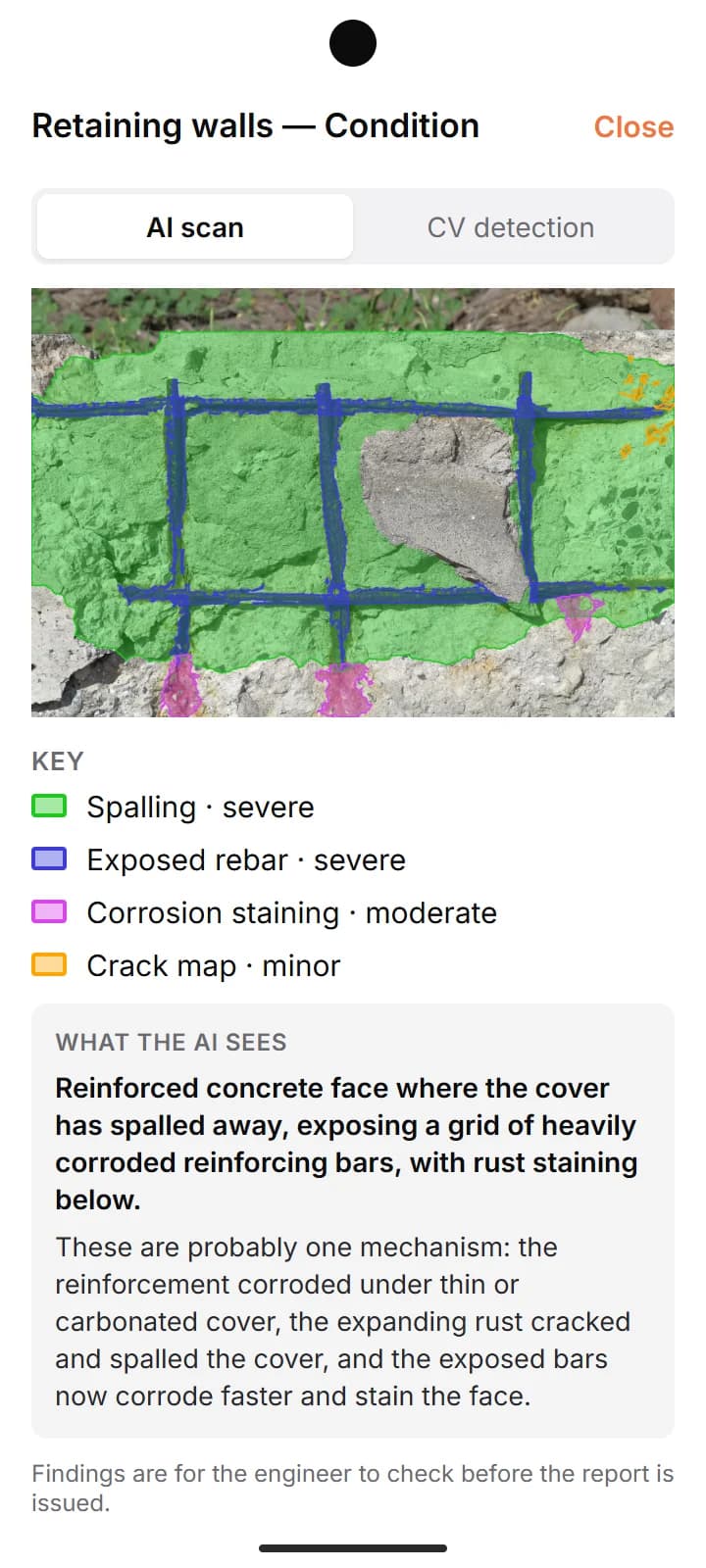
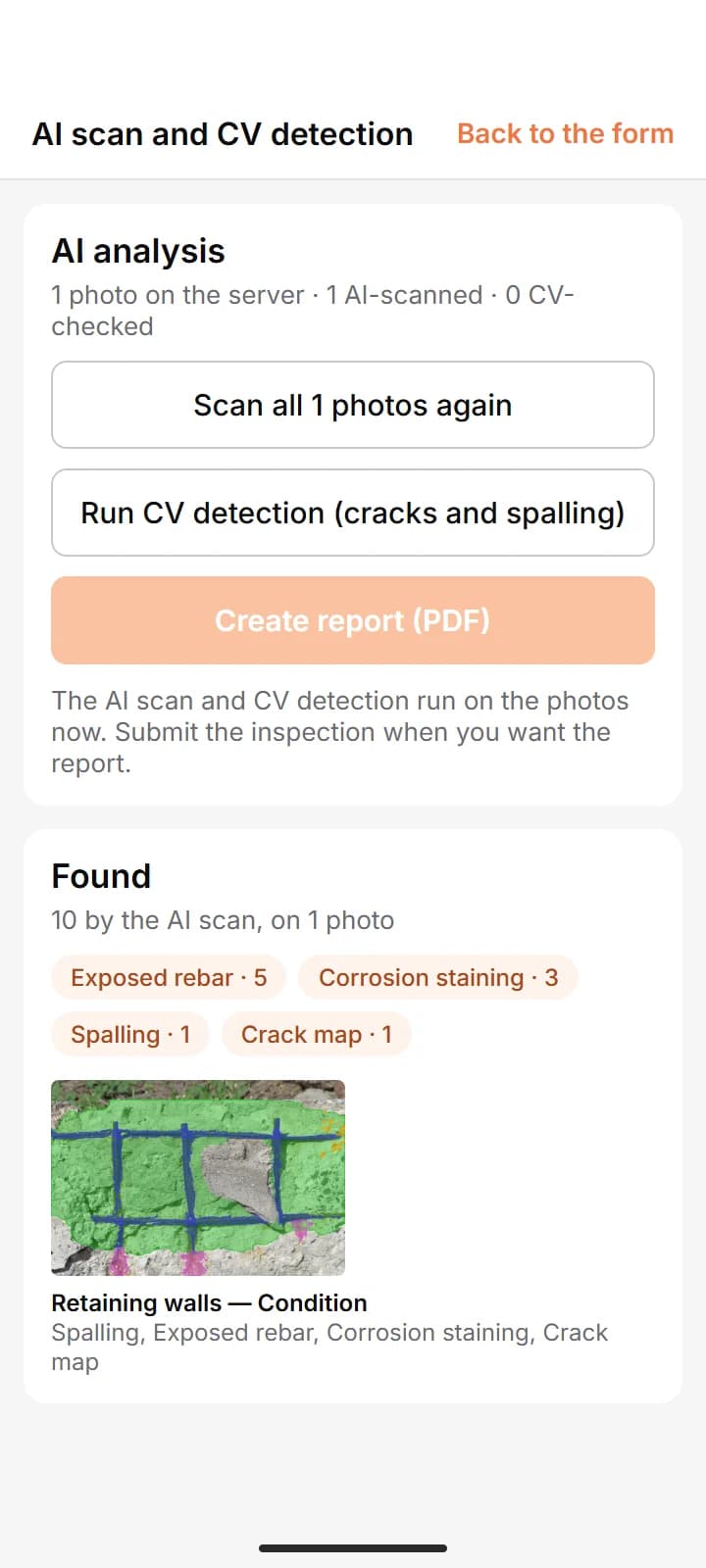
The AECAI Android app, in early access; screens recreated in the app’s layout. Bridge drawn for illustration. Photo: TeWeBs, CC BY-SA 4.0; the scan overlay is shared under the same licence.

Capture on site, even without signal.

Your inspectors work through your firm’s inspection form on an Android phone, photographing each defect against the element it belongs to. The app keeps working without signal and uploads when they are back in range. AECAI then flags the defects it finds on each photograph, for your engineer to check.

The Android app is in early access. Capture also works in a browser.

Findings: Pier P2, Example Road Bridge (fictional)
FindingRaised byYour engineer
Crack, north faceAIAccepted
Spalling, north faceAIAccepted
Staining, pier capAIRejected
Debris, bearing shelfEngineerAdded
Illustration with fictional data.

You decide what goes in the report.

AECAI drafts. Your engineers accept, reject or add findings and can edit any text. When the report is ready, download it as Word or PDF and issue it under your firm’s name, the way you do today. AECAI is the software that drafts it; the report, and the judgement in it, stay yours.

Reports in your firm’s own style.

AECAI reads your past reports and turns your house style into drafting rules, without copying their findings. It can also turn an old report into an inspection form, so your engineers capture what your reports need. Reports come out as Word or PDF, in the format your clients already know.

Your past report

AECAI’s draft

Illustration with a fictional firm: the draft follows the layout, numbering and table style of your past reports.
Sammy Gawad, Co-founder and Director
Sammy GawadCo-founder and Director
Mohamed Ragab, Co-founder and Director
Mohamed RagabCo-founder and Director

The engineer who writes the reports and the engineer who trained the models.

Sammy Gawad is a practising civil engineer who inspects bridges and reservoirs and writes the reports AECAI drafts. Mohamed Ragab is a structural engineer turned AI researcher who designed and trained AECAI’s defect models. We built AECAI in Belfast for engineering firms of 5 to 50 people.

About us

From site to finished report.

See the full workflow
  1. Capture

    Your inspectors record observations and photographs against your form, each photo tied to its element, on the Android app (early access) or in a browser.

  2. Analyse

    Computer vision outlines cracks and spalling. AI Scan suggests other defects for your engineer to check.

  3. Review

    Your engineer accepts, rejects or adds findings.

  4. Report

    Report Studio drafts the report in your house style, ready to download as Word or PDF.

AECAI is in early access.

We are taking on a small number of Northern Ireland firms for a free pilot. It starts with a demo, so you can see the whole workflow before you decide.

About the pilot

See AECAI working.

We’ll show you the whole workflow, from site photographs to a finished report. The pilot is free, including an allowance of AI use.